








Compass
Unlock PFE LUTs, film scan mapping, and true printer points.
THE PROBLEM
Resolve's Film Looks LUTs are some of the best film emulations ever made — DI colorists relied on them to preview actual film-outs. But they tease you with half the puzzle: they only tell you their output color space, and no matter what color space you feed in, the results are off: thin exposures, poor skin tones, broken colors.
Film scans are the same story from the other direction. There's no reliable way to map scanned negative into a digital color space — standard solutions just give you different flavors of wrong. So you compensate by hand, and without even realizing it, you slowly "video-fy" the image.
These problems have the same root cause: a missing model for the actual color space of film negative.
Bad input to film LUT = broken output
Bad input transform for film scans = flat, dim output
THE SOLUTION
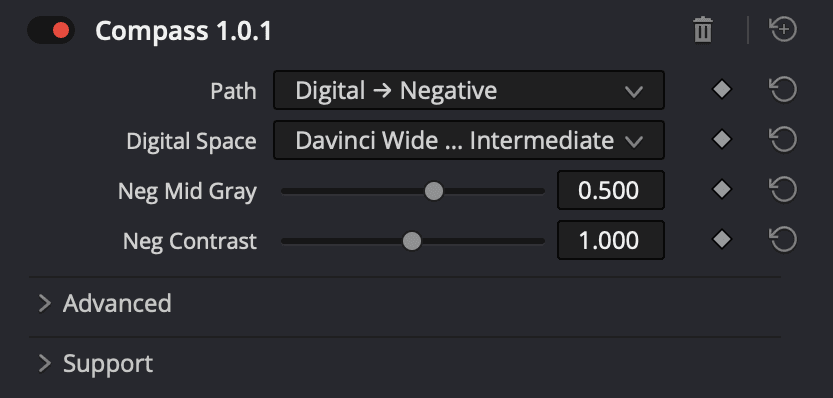
Compass is a lightweight OpenFX plugin built with Kodak color science legend Mitch Bogdanowicz to do one thing: map between digital color space and film negative color space.
That one capability fixes PFE LUTs, gives you a real input transform for film scans, and unlocks true film printer points for grading.
PFE LUT workflow
Film scan workflow
Film grading workflow
SEE IT IN ACTION


what's included
• Compass perpetual license (all v1 updates)
• PowerGrade presets for every workflow — drop in and go
• Quickstart video to get you up and running fast
frequently asked questions
Does Compass require a certain pipeline or color management setup?
Nope, it slots right into your preferred setup — just tell it what color space you're using.
What's the difference between Compass and Genesis?
Genesis models the entire film process, including lab work, printer points, and selection of negative and print stock. Compass is a focused utility that does one thing: moves you in and out of film negative color space.
If you have Genesis, Compass gives you a dedicated tool for film scan input mapping and for grading with true printer points.
If you don't have Genesis, Compass unlocks the world-class film emulation that already lives in your Resolve LUT folder, plus film scan input mapping and grading with true printer points.
I already have a film emulation plugin — do I need Compass?
Maybe not, but you can always grab a free trial and compare for yourself (make sure to check out the film scan and DI grading workflows too).
Can I use all my normal tools when grading with Compass?
Yep, everything works — primaries, curves, qualifiers, ColorSlice, etc. The only tool to skip is the HDR palette, since it can't accurately map in and out of film negative space for its color space aware operations.
GRADED WITH COMPASS
PRICING
The free trial of Compass includes:
Unlimited time use
ALL features
Resolve project with test footage (evaluation purposes only)
Note: Watermark applied to free trial
Try Compass free